
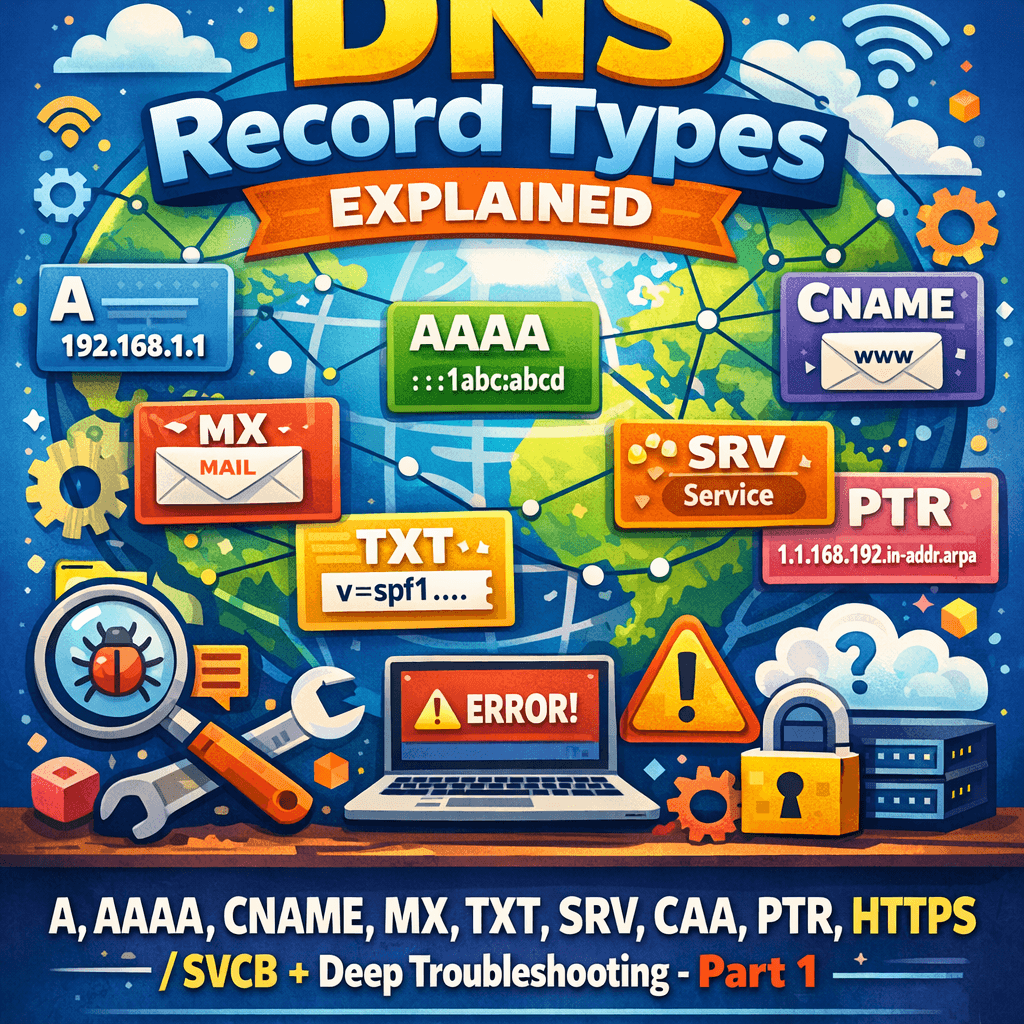
DNS looks deceptively simple—names in, IPs out—but production DNS is a distributed database with caching, delegation boundaries, transport quirks, and cryptographic validation (DNSSEC) layered on top. This guide is written as a “field manual”: what each DNS record type does, when to use it, how to configure it, and what to check when it breaks.
You can treat it as both a reference and a troubleshooting playbook.
Table of Contents
- #dns-architecture-refresher-authoritative-vs-recursive
- #core-concepts-ttl-caching-negative-caching-glue
- #dns-record-types-quick-reference
- #addressing–aliasing-records-a-aaaa-cname-aliasaname-dname
- #delegation–zone-control-ns-soa-ds
- #email-records-mx-txtspf-dkim-dmarc-mta-sts-tls-rpt
- #service-discovery-srv-naptr-uri
- #security–policy-records-caa-tlsadane-sshfp
- #modern-web-records-svcbhttps
- #reverse-dns-ptr
- #dnssec-in-depth-records-chain-of-trust-operations
- #troubleshooting-workflow-dig-delv-trace-packet-level-symptoms
- #operational-best-practices
- #image-ideas–alt-text-seo
DNS Architecture Refresher (Authoritative vs Recursive)
Authoritative DNS servers host the zone data (your records). They answer with authority (AA bit set) for domains they serve.
Recursive resolvers (your ISP, corporate resolver, 1.1.1.1/8.8.8.8, etc.) perform lookups on behalf of clients, cache results, and apply DNSSEC validation (if enabled).
In outages, always ask:
- Is the authoritative data wrong?
- Or is recursion/caching/validation making it appear wrong?
Core Concepts: TTL, Caching, Negative Caching, Glue
TTL (Time To Live)
TTL is how long a resolver may cache an RRset. Lower TTLs increase query volume but shorten propagation.
Gotcha: “Propagation” is not magic—resolvers obey TTLs they already cached. If a resolver cached a record with TTL 86400, lowering TTL after the fact won’t help until the cached entry expires.
Negative Caching (NXDOMAIN / NODATA)
Resolvers also cache non-existence based on SOA parameters (negative TTL / MINIMUM depending on implementation). This is why creating a brand-new record can appear delayed if clients cached NXDOMAIN.
Glue Records
When delegating a zone to nameservers inside the delegated zone (e.g., ns1.example.com for example.com), the parent zone may provide glue A/AAAA to prevent circular dependency.
Troubleshooting symptom: intermittent resolution failures or “lame delegation” if glue is missing/outdated or nameservers don’t answer authoritatively.
DNS Record Types: Quick Reference
Quick guide (no config examples here—those come later).
- A / AAAA – Hostname → IPv4 / IPv6 address
- CNAME – Alias hostname → canonical hostname (not allowed at zone apex)
- ALIAS/ANAME – Provider-specific “CNAME-like at apex” behavior
- MX – Mail routing targets (hostnames), with preference
- TXT – Arbitrary text; commonly SPF, DKIM, DMARC, verification tokens
- NS – Delegation / authoritative nameservers for a zone
- SOA – Start of Authority; zone metadata (serial, timers)
- SRV – Service location + port for certain protocols
- PTR – Reverse DNS (IP → name)
- CAA – Which CAs may issue certs for a domain
- TLSA – DANE: bind TLS cert/key to DNS name (needs DNSSEC)
- SVCB / HTTPS – Modern service binding records (HTTP/3 hints, ALPN, ECH configs)
- DS/DNSKEY/RRSIG/NSEC/NSEC3 – DNSSEC primitives
- SSHFP – SSH host key fingerprints (rare now)
- NAPTR/URI – Discovery/rewriting rules and URI mapping (niche)
| DNS Type | Category | Where we use it |
|---|---|---|
| A | Core (Addressing) | IPv4 endpoints: web/app servers, load balancers, origins. |
| AAAA | Core (Addressing) | IPv6 endpoints: dual-stack services, modern networks/CDNs. |
| CNAME | Core (Aliasing) | Aliases to SaaS/CDN hostnames (not at zone apex in standard DNS). |
| ALIAS / ANAME | Core (Aliasing) | “CNAME-like” at apex for CDNs/SaaS (provider-specific feature). |
| NS | Zone (Delegation) | Delegation + authoritative nameserver sets (parent/child consistency matters). |
| SOA | Zone (Control) | Zone metadata: serial/timers + negative caching behavior. |
| MX | Inbound mail routing to mail exchangers (priorities + targets). | |
| TXT | SPF, DKIM, DMARC, provider verifications, MTA-STS/TLS-RPT (via TXT labels). | |
| SRV | Service Discovery | Service endpoints + ports (SIP, XMPP, some enterprise/internal services). |
| PTR | Reverse DNS | Reverse lookups (email reputation, auditing/logging). |
| HTTPS | Web (Modern) | Modern HTTP service binding (ALPN hints, HTTP/3, ECH configs where supported). |
| SVCB | Web (Modern) | General service binding (HTTPS is the web-focused variant). |
| CAA | Security (Policy) | Restrict which Certificate Authorities can issue TLS certs for your domain. |
| TLSA | Security (DANE) | DANE bindings for TLS (commonly SMTP DANE; requires DNSSEC validation). |
| DS | DNSSEC | Parent-side pointer that links the chain of trust to the child zone. |
| DNSKEY | DNSSEC | Publishes zone public keys (KSK/ZSK) used to validate signatures. |
| RRSIG | DNSSEC | Cryptographic signatures covering RRsets (integrity/authenticity). |
| NSEC / NSEC3 | DNSSEC | Proof of non-existence for NXDOMAIN/NODATA responses. |
Addressing & Aliasing Records (A, AAAA, CNAME, ALIAS/ANAME, DNAME)
A Record (IPv4)
What it does: Maps a name to an IPv4 address.
Use it for: Servers, load balancers, any endpoint with stable IPv4.
How to use: create name → 203.0.113.10.
Troubleshoot:
- Wrong IP or stale TTL
- Multiple A records (round robin) causing uneven behavior
- Geo/latency routing at provider conflicting with expectations
BIND zone file example
www     300 IN A     203.0.113.10
api     60  IN A     203.0.113.20
AAAA Record (IPv6)
What it does: Maps a name to an IPv6 address.
Use it for: Dual-stack services or IPv6-only infra.
How to use: Add AAAA alongside A.
Troubleshoot:
- “Works on some networks but not others”: broken IPv6 path can cause timeouts
- Happy Eyeballs behaviors vary by client; partial IPv6 issues can be painful
- Load balancer/firewall not configured for v6
www 300 IN AAAA 2001:db8:1234::10CNAME Record (Canonical Name)
What it does: Aliases one name to another name. The resolver then looks up the target’s A/AAAA (and other types, depending on query).
Use it for: CDN hostnames, SaaS endpoints, tracking domains, multi-tenant services.
Rules & gotchas:
- A CNAME must not coexist with other data at the same owner name (no MX/TXT/A alongside it).
- You cannot put a CNAME at the zone apex (
example.com) in standard DNS, because apex must have SOA/NS.
cdn 300 IN CNAME d1234.cloudfront.net.Troubleshoot:
- CNAME chain too long (some resolvers cap it)
- Target missing A/AAAA → returns NODATA
- Target uses short TTL → perceived flapping
ALIAS / ANAME (Provider-specific)
What it does: Simulates CNAME behavior at the zone apex by synthesizing A/AAAA answers on the authoritative side.
Use it for: Pointing example.com (apex) to a CDN/SaaS hostname.
Troubleshoot:
- Provider’s synthesis interval can create “lag”
- DNSSEC signing complexity (provider must sign synthesized answers correctly)
- IPv6 synthesis may differ from IPv4
DNAME (Delegate Name)
What it does: Redirects an entire subtree to another domain (like a wildcard CNAME for a branch).
Use it for: Renaming subdomains, large-scale namespace moves.
Troubleshoot:
- DNAME + CNAME interaction (DNS standards create synthesized CNAMEs)
- Some legacy clients handle DNAME poorly
Delegation & Zone Control (NS, SOA, DS)
NS Record
What it does: Lists authoritative nameservers for a zone (and also used at delegation points).
Where to use: At the zone apex; also in the parent zone when delegating.
@   3600 IN NS  ns1.example.net.
@   3600 IN NS  ns2.example.net.
Troubleshoot:
- Mismatch between parent and child NS sets (common cause of intermittent failures)
- Nameserver not authoritative or not answering on UDP/TCP 53
- Missing glue when nameserver is inside the zone
SOA Record
What it does: Zone metadata: primary NS, admin contact, serial, refresh/retry/expire timers, and negative caching TTL.
Use it for: Every zone must have exactly one SOA at apex.
@ IN SOA ns1.example.net. hostmaster.example.com. (
  2026050701 ; serial
  3600       ; refresh
  900        ; retry
  1209600    ; expire
  300        ; negative TTL
)
Troubleshoot:
- Serial not incremented → secondaries never update
- Negative TTL too high → NXDOMAIN sticks longer than expected
- Expire too low → secondary stops serving zone
DS Record (Delegation Signer) — DNSSEC
What it does: Lives in the parent zone and points to the child zone’s DNSKEY. It’s the cryptographic link in the chain of trust.
Troubleshoot:
- DS doesn’t match child DNSKEY → validating resolvers return SERVFAIL
- Old DS remains after key rollover → intermittent outages depending on resolver cache
(We’ll cover DS deeply in the DNSSEC section.)
Email Records (MX, TXT/SPF, DKIM, DMARC, MTA-STS, TLS-RPT)
Email + DNS is where “it resolves” is not enough. Mail deliverability depends on precise DNS semantics.
MX Record
What it does: Specifies mail exchangers for a domain. Targets must be hostnames (not IPs). Priority (lower = preferred).
@  3600 IN MX 10 mail1.example.com.
@  3600 IN MX 20 mail2.example.com.
mail1 300 IN A 203.0.113.50
mail2 300 IN A 203.0.113.51
Where to use: Domain receiving mail (example.com).
Troubleshoot:
- MX points to CNAME chains (allowed, but can complicate)
- MX target has no A/AAAA
- IPv6-only MX when senders can’t reach v6 (rare now but still happens)
- Wrong priorities causing unintended failover
TXT (Generic) + SPF (TXT)
What it does: Stores arbitrary text. SPF is commonly published as a TXT record.
@ 3600 IN TXT "v=spf1 ip4:203.0.113.0/24 include:_spf.google.com -all"Troubleshoot SPF:
- Multiple SPF records → SPF permerror
- Too many DNS lookups (SPF limit is 10 “mechanism” lookups)
- Using
~allor+allunintentionally weakening policy
DKIM (TXT)
What it does: Publishes public keys for DKIM selectors.
selector1._domainkey 3600 IN TXT "v=DKIM1; k=rsa; p=MIIBIjANBgkq..."Troubleshoot DKIM:
- Selector mismatch (mail uses selector2 but DNS has selector1)
- Key too long for one TXT chunk (some DNS UIs handle quoting poorly)
- Old keys left behind (rotation hygiene)
DMARC (TXT)
What it does: Policy + reporting about SPF/DKIM alignment.
_dmarc 3600 IN TXT "v=DMARC1; p=quarantine; rua=mailto:dmarc@yourdomain.com; adkim=s; aspf=s"Troubleshoot DMARC:
- Missing alignment (SPF passes but not aligned, DKIM passes but not aligned)
- Bad reporting URIs
- Policy too strict before you’ve verified legitimate senders
MTA-STS + TLS-RPT (TXT)
These harden SMTP transport security.
mta-sts.example.comtypically uses A/AAAA plus HTTPS policy hosting._mta-stsTXT advertises policy version._smtp._tlsTXT enables TLS reporting.
_mta-sts 3600 IN TXT "v=STSv1; id=2026050701"
_smtp._tls 3600 IN TXT "v=TLSRPTv1; rua=mailto:tlsrpt@yourdomain.com"
Troubleshoot:
- Policy file not reachable over HTTPS
- Incorrect
idversioning leading to stale caching behavior
Service Discovery (SRV, NAPTR, URI)
SRV Record
What it does: Advertises service endpoints + ports (used by SIP, XMPP, some AD setups, etc.).
Format: _service._proto.name TTL class SRV priority weight port target
_sip._tcp 3600 IN SRV 10 60 5060 sip1.example.com.
_sip._tcp 3600 IN SRV 10 40 5060 sip2.example.com.
sip1 300 IN A 203.0.113.60
sip2 300 IN A 203.0.113.61
Troubleshoot:
- Target must resolve (A/AAAA)
- Weight/priority misconfigured leads to uneven traffic
- Clients may require both UDP and TCP variants
NAPTR Record (Niche)
Often paired with SRV for SIP/ENUM. Can rewrite or map to services.
Troubleshoot: client support is variable; ensure you know the resolver behavior of the application.
URI Record (Niche)
Maps names to URIs. Limited support; use only when your consuming application explicitly supports it.
Security & Policy Records (CAA, TLSA/DANE, SSHFP)
CAA (Certification Authority Authorization)
What it does: Restricts which public CAs may issue certificates for your domain. Extremely useful to reduce mis-issuance risk.
@ 3600 IN CAA 0 issue "letsencrypt.org"
@ 3600 IN CAA 0 issue "digicert.com"
@ 3600 IN CAA 0 iodef "mailto:security@yourdomain.com"
Where to use: At apex and optionally on subdomains with different CA policy.
Troubleshoot:
- Missing CAA for subdomain where you request cert (some CAs climb up the tree; behavior depends on CA)
- CAA forbids your intended CA → certificate issuance fails
- DNS provider UI quoting issues
TLSA (DANE) — Requires DNSSEC
What it does: Publishes which TLS cert/key should be considered valid for a service. Common format for HTTPS is _port._proto.name.
Example (illustrative; your hash differs):
_443._tcp.www 3600 IN TLSA 3 1 1 (
  9A4F...F00D
)
Where to use: Environments where you control both DNSSEC and the service (often internal PKI, SMTP with DANE, or strict deployments).
Troubleshoot:
- DNSSEC not validating → TLSA ignored by many clients
- Wrong selector/matching type (3 1 1 vs others) breaks validation
- Cert rotation requires coordinated TLSA update
SSHFP (Less Common Today)
What it does: Stores SSH host key fingerprints.
Troubleshoot: many clients don’t enforce; be cautious about relying on it.
Modern Web Records (SVCB/HTTPS)
SVCB and HTTPS (RR types 64/65)
What they do: “Service Binding” records let a domain advertise alternate endpoints and parameters: ALPN (h2/h3), port, ECH configs, IPv4/IPv6 hints, and more. The HTTPS record is a specialized SVCB for HTTP services.
These records are increasingly used by browsers/resolvers for performance and encrypted ClientHello bootstrapping.
Where to use:
- High-performance web frontends
- Early HTTP/3 optimization
- ECH (Encrypted ClientHello) configuration bootstrapping (when supported)
Example (conceptual):
www 300 IN HTTPS 1 . alpn="h2,h3" ipv4hint=203.0.113.10 ipv6hint=2001:db8:1234::10Troubleshoot:
- Not all resolvers/clients use them yet; behavior differs by ecosystem
- Misconfigured ALPN/port can create odd partial failures
- Ensure fallback A/AAAA works cleanly
Reverse DNS (PTR)
PTR Record
What it does: Maps IP → hostname, in the reverse zones:
- IPv4:
in-addr.arpa - IPv6:
ip6.arpa
Example: 203.0.113.10 reverse name is 10.113.0.203.in-addr.arpa.
Where to use:
- Email servers (rDNS is a major trust signal)
- Logging, network policy, some enterprise controls
Troubleshoot:
- PTR name should typically map back via A/AAAA (“forward-confirmed reverse DNS” expectation)
- rDNS is usually managed by the ISP/cloud provider that owns the IP block, not your DNS host
Next up: DNSSEC (Part 2)
DNS record types are only half of the real-world story. In production, the most confusing incidents often happen when the data is correct—but resolvers refuse to accept it due to validation rules, signature lifetimes, delegation mismatches, or transport edge cases.
In Part 2, we’ll go deep on DNSSEC: how the chain of trust works from root → TLD → your domain, what DS/DNSKEY/RRSIG/NSEC3 actually do, how KSK/ZSK rollovers are supposed to be done, and why a single mismatch can cause widespread SERVFAIL even though authoritative servers appear healthy.

Antonio Rennvick is an IT Infrastructure Manager with 15+ years running enterprise Active Directory, Microsoft 365, and Azure environments. He’s Microsoft certified (AZ-104, MS-102) and writes Core365 Cloud to share what actually works in production—PowerShell automation, AD deep dives, and security hardening drawn from real-world work, not test labs.