
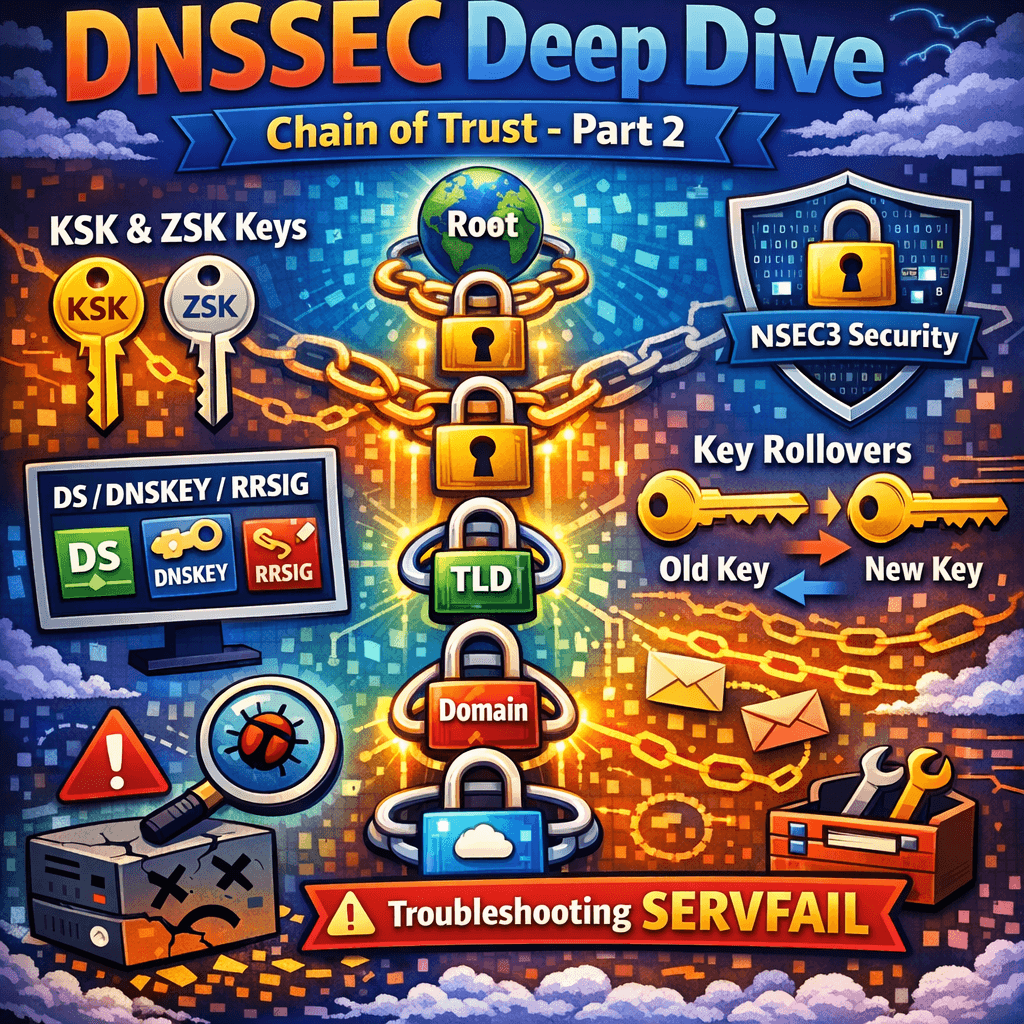
Continuation from Part 1 – DNS record types cheat sheet
This post is a continuation of Part 1: DNS Record Types Explained + Troubleshooting, where we covered the practical purpose of each DNS record type and how to debug common resolution problems.
Now we move into the layer that changes the rules of failure: DNSSEC.
With DNSSEC enabled, “my authoritative DNS returns the right answer” is no longer sufficient—resolvers must be able to cryptographically validate that answer, or users will see SERVFAIL.
DNSSEC adds authenticity and integrity to DNS by signing RRsets. It does not encrypt DNS data. It prevents forged answers (cache poisoning), but it also introduces new operational failure modes.
DNSSEC Record Types and What They Do
DNSKEY
Publishes the public keys for the zone.
- Commonly split into KSK (Key Signing Key) and ZSK (Zone Signing Key)
- Some setups use one key for both roles; operationally, KSK/ZSK separation helps rollovers.
RRSIG
The digital signature over an RRset (e.g., the A RRset for www.example.com).
DS (in the parent zone)
A hash of the child zone’s DNSKEY (typically KSK). This is how the parent vouches for the child’s key, forming the chain of trust.
NSEC / NSEC3
Provides “proof of non-existence” so resolvers can validate NXDOMAIN/NODATA responses.
- NSEC is straightforward but can allow zone walking.
- NSEC3 hashes names to reduce zone enumeration (still not perfect; tradeoffs exist).
CDS / CDNSKEY (Automation helpers)
Let child zones signal desired DS updates to the parent (often used in automated DNSSEC provisioning).
How DNSSEC Validation Works (Chain of Trust)
- A validating resolver starts from a trust anchor (usually the root DNSKEY).
- It follows delegations:
- parent provides DS
- child provides DNSKEY
- resolver verifies DS matches DNSKEY
- Resolver uses DNSKEY to validate RRSIG over the requested RRsets.
- For non-existence, resolver validates NSEC/NSEC3 proofs.
Key operational implication: if DS and DNSKEY ever disagree, validating resolvers return SERVFAIL, even though authoritative servers might happily answer.
DNSSEC Key Rollover (Where Most Outages Happen)
Common rollover failures
- Stale DS in parent after changing KSK
- Publishing new DNSKEY but forgetting to re-sign or publish DS
- Removing old keys too early (violates resolver cache expectations)
- Clock skew causing signatures to appear not-yet-valid or expired
Practical rollover hygiene
- Use automated rollovers if your DNS provider supports it end-to-end
- Ensure you understand timing windows:
- Maximum TTL of DNSKEY/DS
- Signature validity period and re-signing cadence
- Monitor validation continuously from multiple networks
DNSSEC and Transport Realities (EDNS, UDP size, fragmentation)
DNSSEC responses are larger due to signatures.
- Larger UDP packets can fragment.
- Fragmentation gets dropped more often in real networks.
- When UDP fails, resolvers retry with TCP—but some authoritative stacks/firewalls mishandle TCP/53.
Troubleshooting symptom: random SERVFAIL/timeouts only for DNSSEC-enabled domains, often worse on certain networks.
Mitigations:
- Support TCP/53 reliably
- Use sensible EDNS buffer sizes on authoritative servers
- Consider modern authoritative stacks and anycast providers that handle fragmentation better
Troubleshooting Workflow (dig, delv, trace, packet-level symptoms)
When DNS fails, don’t guess—measure.
1) Identify the failure class
- NXDOMAIN: name doesn’t exist (or negative caching)
- NOERROR + empty answer: NODATA (record type missing)
- SERVFAIL: resolver couldn’t complete (often DNSSEC validation, lame delegation, timeouts)
- Timeout: network path, firewall, authoritative down, UDP fragmentation
2) Query authoritative directly (bypass recursion)
dig @ns1.example.net www.example.com A +norecurse
dig @ns1.example.net example.com SOA +norecurse
If authoritative is wrong, fix zone data first.
3) Trace delegation from the root
dig www.example.com A +traceThis shows:
- parent NS
- delegation path
- whether glue exists
- where it starts failing
4) Check DNSSEC specifically
dig www.example.com A +dnssecFor a validating viewpoint (if available on your system):
delv www.example.com ARed flags:
- DS mismatch
- Missing RRSIG
- Expired signatures
- NSEC/NSEC3 proof failures
5) Verify parent/child NS consistency
Compare:
- NS set at parent
- NS set in child zone apex
Mismatch causes intermittent failures depending on which delegation a resolver follows.
6) Check for CNAME conflicts
If you put a CNAME on a name that also has TXT/MX/etc., standards say that’s invalid. Some providers prevent it; others allow but resolvers behave inconsistently.
7) Validate email DNS with targeted checks
- SPF: ensure exactly one TXT SPF record and lookup count <= 10
- DKIM: selector exists and key formatting intact
- DMARC: correct syntax and alignment settings
8) Look for “it works here but not there”
That typically indicates:
- caching/TTL differences
- split-horizon DNS
- DNSSEC validation differences
- IPv6 path differences
Test with multiple resolvers:
dig @1.1.1.1 www.example.com A
dig @8.8.8.8 www.example.com A
dig @9.9.9.9 www.example.com A
Operational Best Practices
Keep TTL strategy intentional
- Low TTL during migrations (planned in advance)
- Moderate TTL for stable records (reduce query load)
- Separate “fast changing” names (e.g.,
edge.example.com) from stable ones
Treat apex design as a first-class decision
- If you need apex pointing to SaaS/CDN, choose a provider that supports ALIAS/ANAME safely (and DNSSEC correctly if you sign).
Make DNS changes observable
- Version your zones (Git) even if you use a UI-driven DNS provider
- Log “who changed what”
- Consider a CI-style lint step: CNAME conflicts, MX targets, SPF checks
DNSSEC: automate or be extremely disciplined
- If you enable DNSSEC manually, document rollover procedures
- Monitor continuously for validation failures
- Ensure TCP/53 works, not just UDP/53
Continuation from Part 1 – DNS record types cheat sheet

Antonio Rennvick is an IT Infrastructure Manager with 15+ years running enterprise Active Directory, Microsoft 365, and Azure environments. He’s Microsoft certified (AZ-104, MS-102) and writes Core365 Cloud to share what actually works in production—PowerShell automation, AD deep dives, and security hardening drawn from real-world work, not test labs.