
Microsoft Entra

Understand Microsoft Entra for identity and access management, including Azure AD, security features, and modern authentication strategies.

Active Directory Azure Microsoft Entra

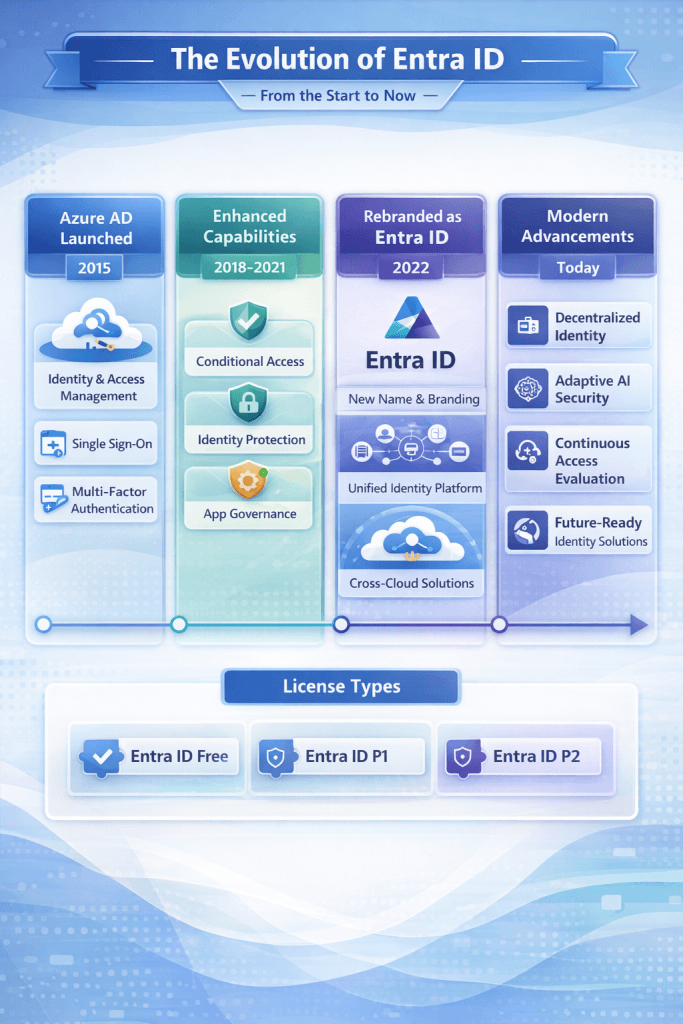
The Evolution of Microsoft Entra ID: From Azure Active Directory to a Modern Identity Control Plane

Introduction Identity has become the new security perimeter. As organizations shift from on‑premises infrastructure to SaaS, IaaS, and multicloud workloads, traditional network-based security has proven insufficient. Microsoft anticipated this shift over a decade ago with the introduction of Azure Active Directory (Azure AD)—a cloud-native identity provider designed for SaaS authentication and authorization. In July 2023, […]
Azure Conditional Access Identity Security Microsoft Entra Security Security Copilot Zero Trust

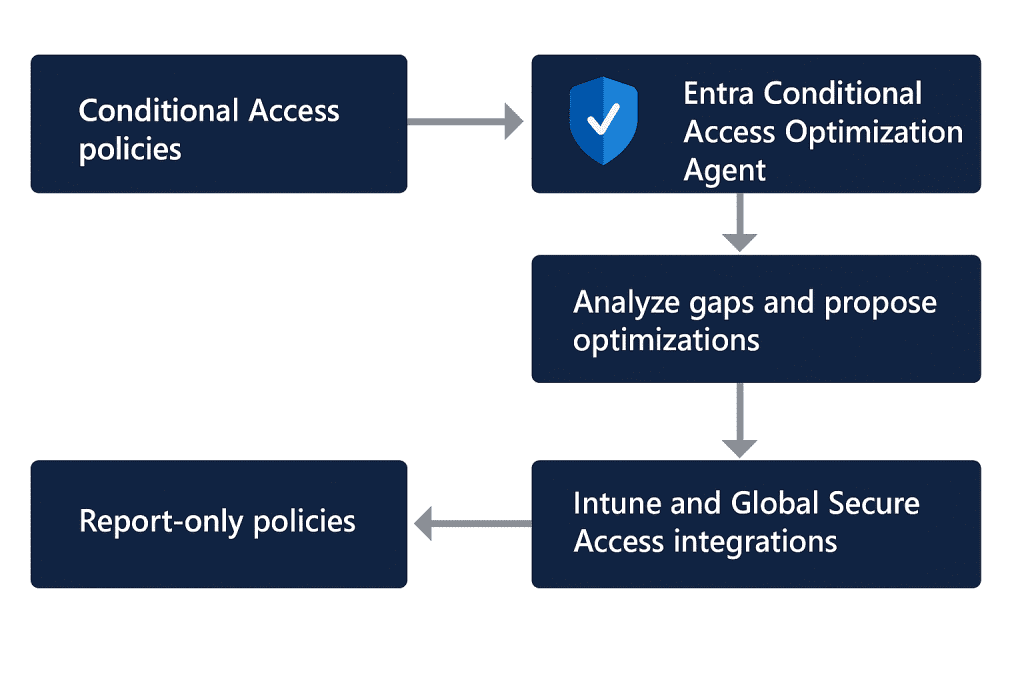
Microsoft Entra Conditional Access Optimization Agent: A Deep Technical Guide for Security Architects

Conditional Access has become the policy enforcement core of Microsoft’s Zero Trust model, but at scale it is notoriously difficult to maintain. Policies drift over time, new users and applications appear outside expected baselines, exclusions accumulate, and overlapping rules create blind spots or operational friction. Microsoft’s answer to that problem is the Conditional Access Optimization

Active Directory Microsoft Microsoft Entra Troubleshooting Windows Windows 10 Windows 11 Windows 11 Tips

How to Recover or Create a New Microsoft Account on the Same Laptop

 Forgetting your Microsoft account details can be frustrating, especially if you’ve entered the wrong password multiple times and are now blocked. If you’re locked out of your Microsoft account and need a way to either recover it or create a new one, this guide will help you step by step. Why Is Your Microsoft Account

Active Directory Microsoft Entra PowerShell Security

Incorrect version of TLS – Installing the latest Azure AD connect

While you trying to install the latest Azure AD connect you might get the below error. This is because the latest version is required to have TLS 1.2 to provide secure communication. How to solve this? By applying few registry keys we can enable TLS 1.2 on our server. Enable TLS 1.2 [HKEY_LOCAL_MACHINE\SOFTWARE\WOW6432Node\Microsoft\.NETFramework\v4.0.30319] “SystemDefaultTlsVersions”=dword:00000001 “SchUseStrongCrypto”=dword:0000001

Scroll to Top
×
