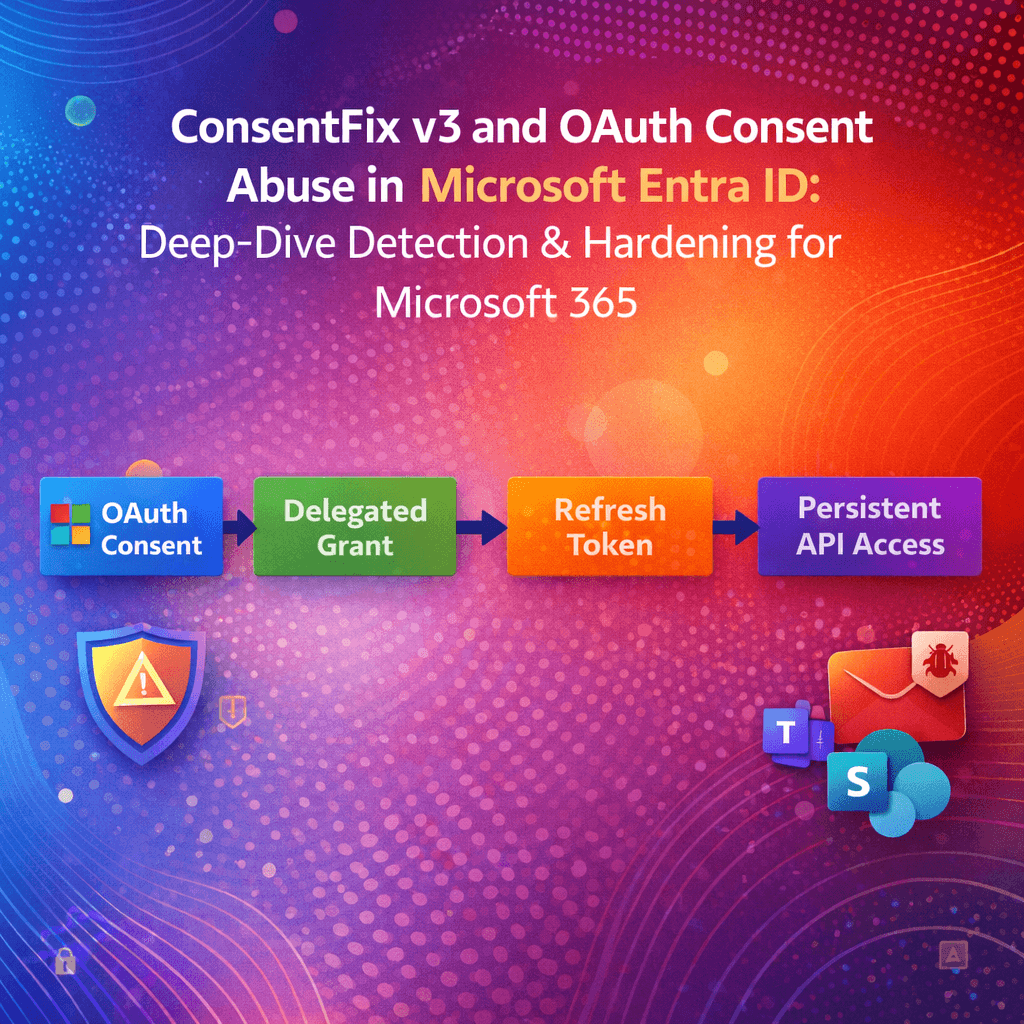
ConsentFix v3 is the latest evolution of browser‑native OAuth abuse that turns user/admin consent into persistent API access in Microsoft 365—often without needing to defeat MFA at the credential prompt. The right defense is not “more MFA.” It is consent surface reduction, consent telemetry, app governance, and token‑centric incident response. [pushsecurity.com], [techcommun…rosoft.com], [docs.azure.cn]
Table of Contents
- #why-oauth-consent-abuse-beats-mfa
- #what-consentfix-v3-changes
- #mapping-to-entra-objects
- #where-it-shows-up
- #detection-engineering-kql
- #graph-based-auditing
- #prevention-consent-policy
- #app-governance
- #incident-response
- #hardening-checklist
- #faq
1) Why OAuth consent abuse beats MFA
OAuth consent phishing is a post‑authentication problem: if a user (or admin) grants an OAuth application permission, the application can call APIs on the user’s behalf using the granted scopes—no credentials required after consent is recorded. [techcommun…rosoft.com], [learn.microsoft.com]
This is why traditional controls—password resets, MFA enrollment, even phishing‑resistant MFA—may not fully solve the persistence problem when the attacker’s foothold is an authorized app grant rather than a stolen password. Microsoft explicitly emphasizes that consent‑based abuse is different from credential compromise and requires governance + monitoring of applications and permissions. [techcommun…rosoft.com], [docs.azure.cn]
2) What ConsentFix v3 changes (and why defenders should care)
ConsentFix (and its “v3” tooling) operationalizes this concept by making OAuth abuse low friction and high scale. Push Security’s analysis describes ConsentFix v3 as a toolkit promoted on criminal forums that instruments an end‑to‑end flow: infrastructure, lures, and automated token exchange—turning what used to be “craft phishing” into a repeatable campaign process. [pushsecurity.com]
Key defender‑relevant properties from public analysis:
- The technique is described as browser‑native and post‑authentication, often requiring minimal user interaction if the user is already signed in. [pushsecurity.com]
- It focuses on OAuth flows and token issuance mechanics, then uses refresh/token exchange behaviors to pivot into Microsoft 365 APIs depending on the targeted client/app family and scopes. [pushsecurity.com]
- It is discussed in the same family of “OAuth front doors” as device code phishing, but leveraging different OAuth grant mechanics. [pushsecurity.com]
Defender takeaway: even if the lure differs, the persistence artifact you must hunt is the same: consent grants + service principal activity + suspicious API usage. Microsoft’s own guidance frames consent phishing defenses around user consent restriction, auditing, and governance—not just login hardening. [docs.azure.cn], [learn.microsoft.com], [learn.microsoft.com]
3) Mapping the attack to Entra objects: service principals, grants, and scopes
To detect and remediate OAuth consent abuse, you must understand what Entra actually stores.
3.1 Enterprise apps and service principals
In Entra ID, an application becomes actionable in your tenant as a service principal (Enterprise Application). Consent and permissions attach to these objects. Microsoft’s consent overview explains that users (delegated permissions) or admins (tenant‑wide consent) can grant access depending on requested permissions and tenant policy. [learn.microsoft.com], [learn.microsoft.com]
3.2 Delegated permission grants = oAuth2PermissionGrant
Delegated permission consent is represented as oAuth2PermissionGrant objects in Microsoft Graph. These capture:
clientId(client service principal object ID)resourceId(API/resource service principal object ID)scope(space-separated delegated permissions/scopes)consentType(PrincipalorAllPrincipals) [learn.microsoft.com]
This matters because remediation often means deleting or constraining these grants—not merely resetting passwords.
3.3 Admin consent workflow and policies
Microsoft provides:
- User consent settings to restrict which apps/scopes users can approve (recommended: verified publishers + selected permissions). [learn.microsoft.com], [learn.microsoft.com]
- App consent policies (permission grant policies) to centrally define allow/deny conditions for consent evaluation. [learn.microsoft.com]
- Admin consent workflow so users can request approvals when user consent is restricted. [learn.microsoft.com], [learn.microsoft.com]
4) Where it shows up: Entra audit logs and key events
Microsoft Entra records application permission operations in Audit logs. For consent abuse investigations, you care about the “ApplicationManagement” category and consent/grant activities.
Microsoft Learn explicitly calls out the audit event:
- Category:
ApplicationManagement - Activity:
Consent to application
…and also related permission grant events like “Add delegated permission grant.” [learn.microsoft.com]
Minimum telemetry to collect into your SIEM
- Entra AuditLogs (Directory Audit logs)
- Entra SigninLogs (interactive/non-interactive)
- Microsoft Defender for Cloud Apps / Defender XDR signals where available (for OAuth app governance and anomalies) [learn.microsoft.com], [docs.azure.cn]
5) Detection engineering: KQL hunts for Microsoft Sentinel
Assumption: You’re ingesting Entra ID AuditLogs into Sentinel (via the standard connector). Adjust table names if your environment differs.
5.1 Hunt: “Consent to application” events (high signal)
KQL
AuditLogs
| where Category == “ApplicationManagement”
| where ActivityDisplayName == “Consent to application”
| project TimeGenerated, OperationName, ActivityDisplayName, InitiatedBy, TargetResources, Result, CorrelationId
| order by TimeGenerated desc
Show more lines
Why this works: Microsoft documents “Consent to application” as the audit activity used to track user grants. [learn.microsoft.com]
5.2 Enrich: Extract the consented app (service principal) and initiator
AuditLogs
| where Category == "ApplicationManagement"
| where ActivityDisplayName in ("Consent to application", "Add delegated permission grant")
| mv-expand TargetResources
| extend tr = todynamic(TargetResources)
| extend TargetType = tostring(tr.type),
         TargetName = tostring(tr.displayName),
         TargetId   = tostring(tr.id)
| project TimeGenerated, ActivityDisplayName, Result,
          InitiatorUPN = tostring(InitiatedBy.user.userPrincipalName),
          InitiatorIP  = tostring(InitiatedBy.user.ipAddress),
          TargetType, TargetName, TargetId, CorrelationId
| order by TimeGenerated desc
Microsoft Learn groups delegated permission grants and consent activities under application permission audit logging. [learn.microsoft.com]
5.3 Analytics idea: detect “new consent” followed by unusual API activity
A common pattern in OAuth abuse is: consent granted → tokens used from new infra → API spikes. Microsoft recommends monitoring app behavior and using app governance policies for anomalies. [docs.azure.cn], [learn.microsoft.com]
Practical approach:
- Build a watchlist of approved publishers/apps
- Alert on consent to apps not in allowlist, especially with broad scopes
- Correlate to:
- Non-interactive sign-ins
- Cloud App Security / App Governance alerts
- Unusual data access volumes
(Your exact correlation depends on the logs you ingest—Defender XDR “Advanced Hunting” can augment this when integrated.)
6) Graph-based auditing at scale (PowerShell + Microsoft Graph)
6.1 Pull Entra audit events: “Consent to application”
Microsoft Graph can retrieve directory audit logs, and Microsoft’s Entra guidance shows how to use these logs to track permission grants and consent. [learn.microsoft.com], [learn.microsoft.com]
# Requires: Microsoft.Graph module
Connect-MgGraph -Scopes "AuditLog.Read.All"

$filter = "category eq 'ApplicationManagement' and activityDisplayName eq 'Consent to application'"

$logs = Get-MgAuditLogDirectoryAudit -All -Filter $filter `
  -Property "activityDateTime,activityDisplayName,initiatedBy,result,targetResources"

$logs | ForEach-Object {
    $sp = $_.TargetResources | Where-Object { $_.Type -eq "ServicePrincipal" } | Select-Object -First 1
    [pscustomobject]@{
        Time = $_.ActivityDateTime
        Initiator = $_.InitiatedBy.User.UserPrincipalName
        Result = $_.Result
        TargetApp = $sp.DisplayName
        TargetId  = $sp.Id
    }
} | Sort-Object Time -Descending
The audit event name and category align to Microsoft’s documented audit log model for permission activity. [learn.microsoft.com]
6.2 Enumerate delegated consent grants (oAuth2PermissionGrant)
To find what an app can do after consent, enumerate oAuth2PermissionGrant objects. Microsoft Graph documents the schema and meaning of these grants. [learn.microsoft.com]
Connect-MgGraph -Scopes "Directory.Read.All"

# All delegated permission grants (can be large in big tenants)
$grants = Get-MgOauth2PermissionGrant -All

$grants | Select-Object Id, ClientId, ResourceId, ConsentType, Scope | Format-Table -AutoSize
How to use this output defensively
- Flag
ConsentType == "AllPrincipals"as tenant-wide delegated consent (higher blast radius) - Parse
Scopefor high-risk permissions (mail/files/sites) - Join
ClientIdto the client service principal to get app name/publisher
7) Prevention: consent policy architecture and admin consent workflow
7.1 Restrict or disable user consent (global baseline)
Microsoft recommends restricting user consent—commonly to apps from verified publishers and only low‑risk permissions. [learn.microsoft.com], [learn.microsoft.com]
Important nuance: changing user consent settings affects future consent; existing grants remain unless you revoke them. [learn.microsoft.com]
7.2 Use app consent policies (permission grant policies) for fine-grained control
App consent policies let you define include/exclude condition sets based on publisher verification, permissions requested, and more. [learn.microsoft.com]
A powerful design pattern:
- Default policy: allow only low-risk scopes for verified publishers
- Exclusions: explicitly block mail/files/sites scopes unless admin-approved
- Role-scoped policies: give App Admins controlled ability to approve only specific categories
Microsoft documents the policy model (include/exclude condition sets) and built-in policies like microsoft-user-default-recommended. [learn.microsoft.com]
7.3 Enable the admin consent workflow (reduce shadow IT while staying secure)
If you lock down user consent without an approval mechanism, users will find workarounds. The admin consent workflow gives users an “Approval required” path and routes requests to designated reviewers. [learn.microsoft.com], [learn.microsoft.com]
Security tip: Make “reviewers” a role/group with documented SLAs, but remember: reviewers don’t automatically gain approval privileges—approvers still need the appropriate Entra roles. [learn.microsoft.com]
8) App Governance: continuously detect risky OAuth apps
Microsoft Defender for Cloud Apps App Governance is purpose-built for OAuth app risk: visibility of which apps have access, what permissions they hold, anomaly detection, and remediation actions. [learn.microsoft.com]
Use App Governance when:
- You want policy-driven alerts for abnormal app behavior
- You need a dashboard of non‑Microsoft OAuth apps and granted permissions
- You want to automate response actions (block/restrict) based on risk [learn.microsoft.com], [docs.azure.cn]
This aligns with Microsoft’s consent phishing guidance: control consent, monitor OAuth apps, and use Defender for Cloud Apps policies to detect abnormal activity. [docs.azure.cn], [learn.microsoft.com]
9) Incident response playbook: contain, eradicate, recover
Microsoft’s consent phishing documentation recommends investigating the app’s permissions, audit logs, and sign-in activity, then removing illicit grants and improving posture. [docs.azure.cn], [learn.microsoft.com]
9.1 Contain (minutes–hours)
- Disable the suspicious Enterprise App / service principal (tenant-local containment)
- Revoke delegated permission grants (
oAuth2PermissionGrant) associated with the suspicious client - Revoke user refresh tokens / sessions (token containment)
9.2 Investigate (hours–days)
- Review Entra AuditLogs for:
Consent to applicationAdd delegated permission grant- Any app role assignments where relevant [learn.microsoft.com]
- Identify impacted users and granted scopes (mail/files/sites are common high-value targets)
- If integrated: review App Governance alerts and anomalous app behaviors [learn.microsoft.com], [docs.azure.cn]
9.3 Recover (days–weeks)
- Tighten consent policies (post-incident control uplift)
- Enable admin consent workflow for sustainable operations [learn.microsoft.com], [learn.microsoft.com]
- Establish “OAuth app lifecycle” ownership: each approved app must have an owner, justification, and review cadence (Microsoft advocates auditing and monitoring as part of the governance process). [learn.microsoft.com], [docs.azure.cn]
10) Hardening checklist (drop-in runbook)
Control plane
- Set user consent to verified publishers + selected permissions (or disable user consent where feasible). [learn.microsoft.com], [learn.microsoft.com]
- Implement permission grant policies (app consent policies) with explicit blocks for sensitive scopes. [learn.microsoft.com]
- Enable admin consent workflow with scoped reviewers and response SLAs. [learn.microsoft.com]
Visibility
- Stream Entra AuditLogs + SigninLogs to SIEM
- Alert on “Consent to application” events and enrich with target app details. [learn.microsoft.com]
Continuous governance
- Enable Defender for Cloud Apps App Governance
- Create policies for:
- New OAuth apps with high-risk permissions
- Unusual app activity volumes
- Apps with many consenting users in short timeframes [learn.microsoft.com], [docs.azure.cn]
Response readiness
- Maintain scripts/playbooks to enumerate:
oAuth2PermissionGrantgrants (delegated) [learn.microsoft.com]- Entra “Consent to application” audit activity [learn.microsoft.com]
11) FAQ
Does MFA stop OAuth consent abuse?
Not reliably. If a user grants consent to an OAuth app, the app can act using granted permissions without re-prompting for credentials, which is why Microsoft stresses governance, consent restriction, and monitoring. [techcommun…rosoft.com], [docs.azure.cn]
Where do I see consent events in Entra?
In Entra Audit logs, filter Category = ApplicationManagement and Activity = Consent to application. Microsoft documents this mapping for tracking permission/consent activity. [learn.microsoft.com]
If I change user consent settings, does it remove old consents?
No—existing grants remain unless you revoke them. Microsoft explicitly notes user consent setting changes affect future consent operations; existing consent grants remain unchanged. [learn.microsoft.com]
What object represents delegated consent in Graph?
oAuth2PermissionGrant represents delegated permission grants, including scopes and whether consent is for a single user or all users. [learn.microsoft.com]
Before you go: How are you handling app consent today—wide open, “verified publishers only,” or fully locked down with an admin workflow? Drop your approach (and what broke when you changed it) in the comments. I’m happy to share practical policy patterns and detection ideas based on what you’re seeing in the wild.

Antonio Rennvick is an IT Infrastructure Manager with 15+ years running enterprise Active Directory, Microsoft 365, and Azure environments. He’s Microsoft certified (AZ-104, MS-102) and writes Core365 Cloud to share what actually works in production—PowerShell automation, AD deep dives, and security hardening drawn from real-world work, not test labs.